





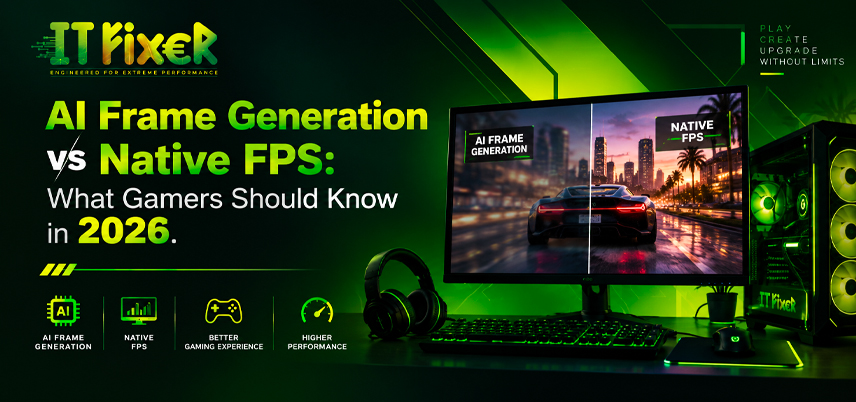
AI Frame Generation vs Native FPS: 2026 Gaming Guide
What Gamers Should Know in 2026
AI frame generation has changed how gamers understand FPS. Native FPS comes from directly rendered frames, while generated frames are created between them. Generation can improve motion smoothness, but generated FPS is not equivalent to native FPS.
For anyone planning an AI frame generation gaming PC Chennai setup, look beyond the FPS counter: native performance, latency, frame pacing, image quality, refresh rate, and the game all matter.
AI frame generation gaming PC Chennai: What Is Frame Generation?
Frame generation uses rendered frames, motion information, and game data to create additional images. DLSS frame generation, FSR frame generation, and XeSS frame generation use different implementations, but the goal is similar: increase displayed frame rate.
Think of it as:
- Native FPS: the GPU renders each frame.
- Generated FPS: extra frames are created between rendered frames.
- AI upscaling: a lower internal resolution is reconstructed to improve performance.
AI frame generation gaming PC Chennai: Why Native FPS Still Matters
A higher displayed FPS cannot fix weak native performance. Generation should complement, not replace, suitable hardware.
Native FPS vs Generated FPS: What Should You Compare?
Native frames form the rendering foundation, while generated frames add visual updates between them. Compare FPS, frame times, latency, resolution, upscaling, and ray tracing.
Compare native/generated FPS, frame times, latency, resolution, upscaling, and ray tracing.
Best Gaming PC Store Chennai: Reading an FPS Benchmark
A trusted gaming PC store Chennai can help compare GPU performance before and after frame generation. Use the same game, resolution, drivers, and settings, while checking latency, image quality, and frame pacing alongside average FPS.
AI Frame Generation and Gaming Latency
More displayed frames do not automatically mean lower input latency. Frame generation can improve motion smoothness, while responsiveness still depends on the native rendering pipeline and implementation. For a PC build in Chennai, choose the setup based on your gaming style—competitive games often prioritize responsiveness, while single-player titles may benefit more from smoother visuals.
Best Gaming pc store Chennai: When Does Generation Help?
An affordable Gaming pc store in Chennai can help determine whether generation suits your workload. It is most useful when native FPS is already reasonable.
It can be useful for demanding AAA games, 1440p/4K gaming, high-refresh monitors, and visually intensive single-player titles.
If native FPS is very low, lowering settings or upgrading the GPU may address the underlying limitation more directly.
Best Gaming pc shop Chennai: Match the GPU to the Workload
A Gaming pc shop in Chennai can help assess whether a gaming graphics card has sufficient native performance. GPU architecture, VRAM capacity, ray tracing capability, power consumption, and cooling affect results.
A capable 1440p GPU may gain useful smoothness from generation; a lower-tier GPU struggling natively may need an upgrade first.
The goal is balanced hardware.
AI frame generation gaming PC Chennai: Match the Monitor
A gaming monitor determines how much output you can actually see. A 60Hz display cannot show every frame from a 144 FPS output, while 144Hz and 240Hz monitors can make better use of higher frame rates.
For the right setup, consider refresh rate, resolution, adaptive sync, response time, input latency, and GPU capability. A gaming PC store in Chennai can also help match the monitor and GPU to the performance target.
Computer shop in Chennai: Check the Complete Hardware
A Computer shop in Chennai can assess the CPU, GPU, RAM, PSU, cooling, motherboard, and display before an upgrade.
Check for CPU or GPU bottlenecks, insufficient VRAM, thermal throttling, driver compatibility, and power requirements.
A Computer shop in Chennai can verify graphics card compatibility, monitor connections, and PSU requirements. Buyers can use a Computer shop in Chennai to review the upgrade path before spending on a new GPU.
Native Rendering, Upscaling and Frame Generation
These features solve different problems. Native rendering produces the image directly at the selected resolution. AI upscaling reconstructs an image from a lower internal resolution. Frame generation creates additional images between rendered frames.
They can work together, but the final result depends on the game engine, GPU, resolution, graphics settings, and implementation.
Best Gaming PC Store Chennai: What Should You Benchmark?
A Gaming PC Store in Chennai can test native and generated performance under consistent conditions using the same scene, resolution, and settings.
Record native and generated FPS, frame times, latency, GPU utilization, temperature, and visual artifacts. A gaming PC store Chennai can help interpret the results instead of focusing only on the highest FPS figure.
Computer shop in Chennai: Check for System Limitations
A Computer shop in Chennai can identify CPU or GPU bottlenecks, VRAM limitations, thermal issues, driver compatibility, and PSU requirements before an upgrade.
Best Gaming pc shop in Chennai: Competitive or Single-Player?
A reliable Gaming pc shop in Chennai can help match the setup to your gaming style. Competitive gaming generally emphasizes native FPS and low latency, while single-player gaming may prioritize image quality, ray tracing, resolution, and smoothness.
AI frame generation gaming PC Chennai: A Practical Setup
If you are planning a frame-generation gaming setup, build around native performance first:
- Choose resolution and target refresh rate.
- Select a GPU with suitable native FPS.
- Match the CPU to the target frame rate.
- Check DLSS, FSR, or XeSS support.
- Compare native and generated results.
- Check latency and image quality.
- Leave room for future upgrades.
AI frame generation gaming PC Chennai: What Should Gamers Remember?
A strong frame-generation setup starts with solid native performance. A gaming PC store Chennai can help gamers compare native rendering, upscaling, and frame generation to achieve smoother gameplay.
Gaming pc store in Chennai: Final Buying Questions
A Gaming pc store in Chennai can help answer:
- What is my native FPS?
- What resolution am I targeting?
- Does my GPU support the technology?
- Is my CPU limiting performance?
- Can my monitor use the additional frames?
- Is latency acceptable?
- Are artifacts visible?
Final Thoughts
AI frame generation can improve smoothness and displayed FPS, but native FPS still matters for responsiveness. A Computer shop in Chennai or gaming PC store Chennai can help compare GPU performance, compatibility, latency, and image quality before choosing a frame-generation system.
Learn how AI frame generation compares with native FPS, including latency, image quality, GPU performance, frame pacing, and gaming experience.

IT FIXER
DLSS 5 Explained: What Does AI Neural Rendering Actually Change?
- OCTOBER 17, 2026
Your FPS Looks High but the Game Feels Laggy
- OCTOBER 15, 2026
Upgrade or Replace Your Gaming PC? 7 Signs You Need a New Build
- OCTOBER 13, 2026
Need Any Help
Call Us 24/7 Full Support
Leave a comments
Your email address will not be published. Required fields are marked *