





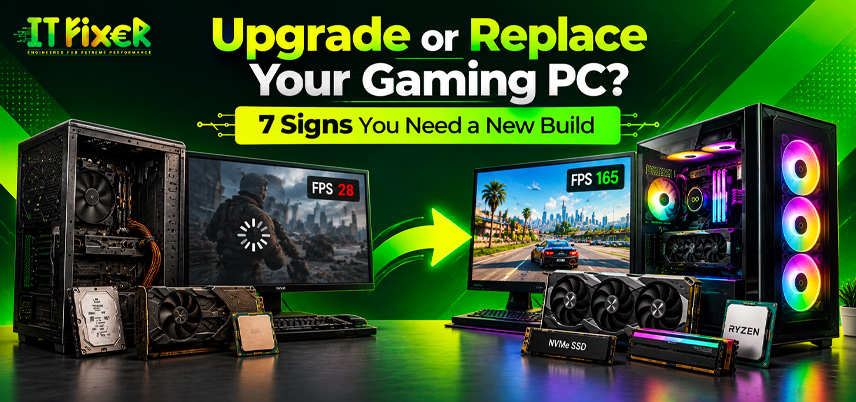
Upgrade or Replace Your Gaming PC? 7 Signs You Need a New Build
Low FPS, slow loading and crashes do not always mean you need a new PC. Before you upgrade or replace gaming PC shop hardware, identify the cause, check compatibility and compare repair costs with a complete build. These seven signs help you decide based on your games and budget.
When to Upgrade or Replace Gaming PC Hardware
Judge performance by benchmark results, temperatures and repair costs rather than age alone. Upgrading one weak component may be enough, but several hardware limitations could justify a new build.
1. Low FPS continues after settings changes
If games remain slow after graphics adjustments, your system may have a hardware bottleneck. Monitor CPU and GPU usage. A CPU bottleneck can limit simulation-heavy games, while a GPU bottleneck may appear with demanding visual effects.
Using Benchmarks to Upgrade or Replace Gaming PC Shop
Check drivers, temperatures and background tasks before buying parts. A gaming PC upgrade in Chennai assessment can identify whether one component is limiting performance.
2. Stuttering and crashes interrupt gameplay
Stuttering, FPS drops and crashes may result from insufficient RAM, overheating, driver problems, storage faults or a failing PSU. Note when they occur and whether multiple games are affected. If troubleshooting fails, arrange a gaming PC upgrade in Chennai to identify possible hardware limitations.
3. New games exceed your graphics card's limits
An outdated graphics card may struggle with newer games that demand more processing power or VRAM. Compare your system with the game's recommended requirements. A graphics card upgrade may resolve the issue if the processor and PSU can support it.
Deciding Whether to Upgrade or Replace Gaming PC Components
Check CPU socket compatibility, motherboard support, PCIe compatibility, case dimensions and power connectors before buying a GPU. If a gaming processor upgrade is also needed, compare the combined cost.
Choosing Gaming PC Components in Chennai for Your Build
When comparing gaming PC components Shop in Chennai, consider model specifications and warranty terms alongside performance. Choose parts that suit your preferred games, target resolution and existing system.
4. Memory or storage slows down play
Insufficient gaming RAM can cause hitching when games run alongside browsers, voice chat or streaming software. A RAM upgrade may help when memory usage is consistently high; check motherboard capacity and DDR4 vs DDR5 support.
An SSD upgrade for gaming can shorten loading times. An NVMe SSD for gaming is worth considering if your system supports it, although faster storage does not guarantee higher FPS. Compare the gaming PC shop Chennai for a targeted upgrade against the cost of replacing several components.
Checking Gaming PC Components Chennai for Compatibility
Verify motherboard support, available slots and physical clearance before ordering parts. This helps prevent compatibility issues and unnecessary spending.
5. Heat or power problems keep returning
Gaming PC overheating can cause throttling or shutdowns. Clean filters and heatsinks, check fans and review airflow. If the cooler is failing or the PSU cannot support the system, address that before fitting a faster GPU.
Gaming PC Components Store in Chennai and Power Requirements
Check PSU wattage requirements against the graphics card manufacturer's guidance and your system's total power needs. Compatible connectors alone do not guarantee sufficient power delivery.
When to Consider Gaming PC Build Services in Chennai
If the motherboard, processor and memory all need replacing, a new build may be more practical. Gaming PC build services Chennai can help compare the cost of a complete system with individual upgrades.
6. Your motherboard limits future upgrades
An older motherboard may limit processor, memory and hardware choices. Replacing the board, CPU and RAM can become costly if the GPU or PSU also needs an upgrade. Plan a balanced system with enough performance, cooling and power capacity for future needs.
Planning a Compatible Gaming PC Upgrade Store in Chennai
Ask which existing parts can be reused. A gaming PC upgrade Services in Chennai quote should itemise components, labour and compatibility checks so you can compare it with a complete build.
When a Gaming PC Upgrade Shop in Chennai Is Sufficient
A targeted upgrade is practical when your existing system supports the new part and it resolves the main performance issue. Compare individual component costs before committing to a rebuild.
7. Repair costs approach the price of a new build
List required parts, installation and likely near-term replacements. A graphics card alone may be sensible, but replacing the CPU, motherboard, RAM and PSU together can make the old system poor value.
Comparing Gaming PC Prices in Chennai Before a Rebuild
The gaming PC store in Chennai varies with the configuration. Compare systems by game requirements, resolution and target frame rate, and check whether assembly and testing are included.
Estimating the Gaming PC Price in Chennai for a New Build
Request an itemised quote for your required configuration. Compare the gaming PC shop in Chennai with the total upgrade estimate rather than the price of an individual component.
Comparing the Gaming PC Price in Chennai with Repair Costs
Include labour and likely replacement parts in your estimate. If several major components are nearing the end of their useful life, compare the total with a new build.
Choosing Gaming PC Build Service in Chennai for a New System
A custom build can suit competitive gaming, AAA titles, streaming or editing. When comparing gaming PC components Store Chennai, look for a balanced configuration that fits your workload. Also compare warranty coverage and future upgrade options when evaluating gaming PC components Services in Chennai.
Testing and Warranty Questions for Gaming PC Build Service Chennai
Confirm that the quote covers assembly, stability testing, warranty and after-sales support. Gaming PC build service shop in Chennai should explain how the selected parts meet your workload requirements.
For local advice, gaming PC upgrade Shop in Chennai support can help you assess whether a targeted repair is worthwhile. Keep the itemised quote to compare equivalent systems.
Using Performance and Cost Evidence to Make Your Decision
Use benchmark results, temperature readings, crash history and written quotes to guide your decision. One weak component may need a targeted upgrade, while several platform limitations may justify a rebuild. When deciding to upgrade or replace gaming PC hardware Chennai, weigh total cost, compatibility and expected performance rather than age alone.
A gaming PC upgrade Chennai can extend the life of a capable system. For a rebuild, compare gaming PC build services store in Chennai and request an itemised configuration with clear warranty and testing terms. Base the final decision to upgrade or replace gaming PC Chennai on the bottleneck and overall cost.
Discover 7 signs you need a new gaming PC build, from poor performance and outdated hardware to upgrade limits, compatibility issues, and rising costs.

IT FIXER
DLSS 5 Explained: What Does AI Neural Rendering Actually Change?
- OCTOBER 17, 2026
Your FPS Looks High but the Game Feels Laggy
- OCTOBER 15, 2026
Gaming PC Overheating in Chennai? Causes, Fixes and Cooling Tips
- OCTOBER 10, 2026
Need Any Help
Call Us 24/7 Full Support
Leave a comments
Your email address will not be published. Required fields are marked *