





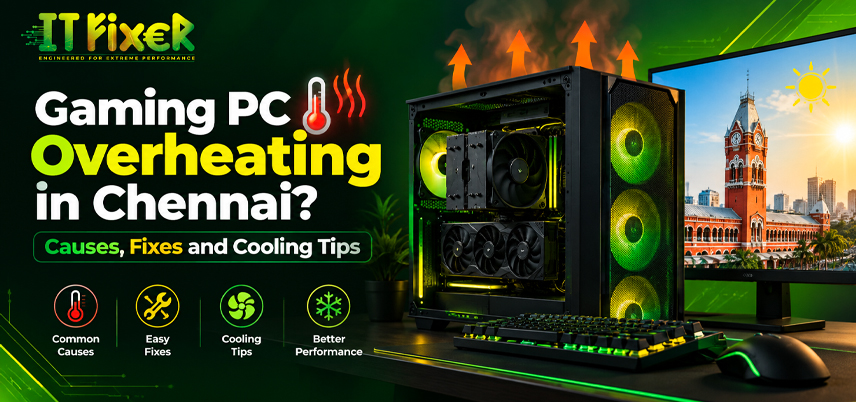
Gaming PC Overheating in Chennai? Causes, Fixes and Cooling Tips
Gaming PC overheating can become more noticeable in Chennai when warm weather combines with long gaming sessions, dust, restricted ventilation, or an aging cooling setup. A rising gaming PC temperature does not always indicate failing hardware, but repeated high readings deserve attention. Identifying the cause helps choose practical gaming PC ventilation.
Why Chennai Heat Can Make a Gaming PC Run Hotter
Ambient temperature affects how efficiently a computer releases heat. During Chennai heat, the room may already be warm before gaming, while humidity, restricted ventilation and dust buildup around filters and heatsinks can further reduce airflow.
For Chennai users, useful gaming PC cooling tips start with the environment. Keep the case away from enclosed furniture and leave clearance around ventilation openings.
What Causes PC Overheating While Gaming?
Several conditions can push hardware temperature beyond its normal range. Instead of assuming the CPU or GPU is responsible, check the complete cooling path.
Dust buildup on the CPU heatsink, GPU heatsink and case fans, weak intake or exhaust fans, old CPU thermal paste, blocked ventilation, demanding gaming settings, poor cable management and high room temperature can all contribute to overheating.
A balanced approach to PC overheating solutions starts by identifying whether heat comes from the processor, graphics card, airflow or room conditions.
CPU Temperature vs GPU Temperature: What Should You Monitor?
CPU temperature and GPU temperature behave differently because their workloads are not identical. A processor may spike during CPU-heavy games, while a graphics card can remain under sustained load when rendering demanding scenes.
For useful temperature monitoring, watch the overall trend rather than reacting to one brief spike. Monitoring software can show CPU load, GPU load, fan speed and system temperature together.
If thermal throttling, FPS drops or performance throttling appear after temperatures rise, investigate the cooling path. Sudden shutdowns can indicate excessive heat, power problems or broader system stability issues.
How to Improve Case Airflow in a Gaming PC Cooling Tips in Chennai
Airflow management is a practical place to start. A well-planned PC airflow optimization should bring fresh air into the case and move heated air out efficiently.
gaming PC cooling solutions for Better Case Airflow
A sensible fan configuration may combine front or lower intake fans with rear or upper exhaust fans, depending on the case design and available mounts. Keep intake fans unobstructed, clean clogged filters, route cables away from airflow paths and check that exhaust fans move warm air outward.
These gaming PC heat management can improve heat dissipation without immediate component replacement.
Maintenance-Based PC Overheating Solutions in Chennai
Maintenance is often overlooked because temperature problems develop gradually. Dust cleaning can restore airflow, while checking the heatsink and fan mounting can reveal a loose or poorly seated cooler.
Shut down and unplug the computer before cleaning, remove dust from filters, fans and heatsinks, inspect the CPU cooler and cooling radiator for blockage, and check fan operation under load. Review temperatures after cleaning.
For dusty systems, regular PC dust removal should be part of hardware care. These PC overheating solutions are useful when temperatures have increased gradually.
When Does a Gaming PC Need Better CPU Cooling?
If the processor remains unusually hot after airflow and maintenance are addressed, the cooler itself may be limiting performance. CPU cooler performance depends on cooler design, heatsink size, fan speed, mounting pressure and thermal interface.
A CPU cooler upgrade can help when the existing unit cannot dissipate heat during sustained gaming. Fresh CPU thermal paste may also help when the thermal compound has degraded or the cooler has been removed and reinstalled.
The right CPU cooling for gaming PC workloads depends on processor power, case clearance and noise expectations. Air cooling works well for many builds, while liquid cooling suits systems that support a radiator and need sustained cooling.
Choosing PC Cooling Solutions in Chennai for Your Gaming PC
Choosing PC cooling solutions in Chennai should begin with the actual system rather than a generic parts list. A compact gaming desktop may need a different approach from a high-power build with a large graphics card.
Consider the case size, fan mounts, processor and GPU power levels, airflow arrangement, room temperature and whether lower noise or maximum cooling is the priority.
For users dealing with PC overheating Chennai conditions, practical PC cooling upgrade may involve improving ventilation before purchasing additional hardware.
Gaming PC Cooling System Chennai Air Cooling or Liquid Cooling?
The choice between air cooling and liquid cooling depends on workload, case compatibility and maintenance preferences. A properly designed air-cooling setup can perform effectively when the CPU cooler, case fans and airflow work together.
An AIO cooler is another option for processors that sustain heavy workloads. However, liquid cooling does not automatically solve GPU heat or poor case airflow.
A complete gaming PC cooling system should be evaluated as a whole, including the heat source, heatsink, thermal interface, airflow, radiator and exhaust path. This makes PC overheating solutions more targeted.
Gaming PC Thermal Solutions in Chennai for Software and Game Settings
Hardware is only part of the answer. If temperatures rise during demanding games, software settings can reduce the workload. Capping unnecessarily high FPS, reducing GPU-heavy graphics settings, closing background processes and reviewing overclocking can help. Undervolting may also be considered when supported safely.
These PC cooling upgrades can reduce gaming load without sacrificing the entire visual experience. For Chennai gamers, gaming PC cooling setup in Chennai can include workload management alongside hardware improvements.
CPU Cooling for Gaming PC in Chennai Performance and Stability
Temperature control matters because excessive heat can affect sustained performance. CPU thermal throttling occurs when the processor reduces performance to manage heat, while GPU thermal throttling can similarly affect graphics performance.
That makes CPU cooling for gaming PC setups a performance concern. If temperatures repeatedly climb under the same workload, compare readings before and after cleaning, airflow changes or cooler adjustments.
A balanced gaming PC cooling system also helps maintain predictable performance when the processor and graphics card work together.
How Chennai Gamers Can Prevent Gaming PC Overheating in Chennai
The most effective gaming PC cooling tips are matched to the actual cause. When basic maintenance is not enough, gaming PC airflow setup may involve a CPU cooler upgrade, improved case ventilation, a different fan configuration or professional inspection. Users comparing gaming computer cooling should evaluate the complete build rather than adding components without identifying the heat source.
For demanding systems, a properly planned gaming PC cooling system can combine suitable cooling hardware with balanced airflow and temperature monitoring. Good CPU cooling for gaming PC workloads helps maintain stable performance during long sessions. If temperatures remain unusually high, gaming PC cooling setup in Chennai can include component-level inspection. For persistent CPU heat, CPU cooling for gaming PC requirements should match the processor's actual power output and case capacity.
Finally, gaming PC cooling should focus on prevention. When repeated overheating continues despite basic maintenance, gaming PC service Chennai can help identify mounting, thermal interface, fan or component-related issues before excessive heat affects hardware stability.
Discover gaming PC overheating causes, fixes and cooling tips in Chennai to improve airflow, control temperatures and maintain gaming performance.

IT FIXER

DLSS 5 Explained: What Does AI Neural Rendering Actually Change?
- OCTOBER 17, 2026
Your FPS Looks High but the Game Feels Laggy
- OCTOBER 15, 2026
Upgrade or Replace Your Gaming PC? 7 Signs You Need a New Build
- OCTOBER 13, 2026
Need Any Help
Call Us 24/7 Full Support
Leave a comments
Your email address will not be published. Required fields are marked *