





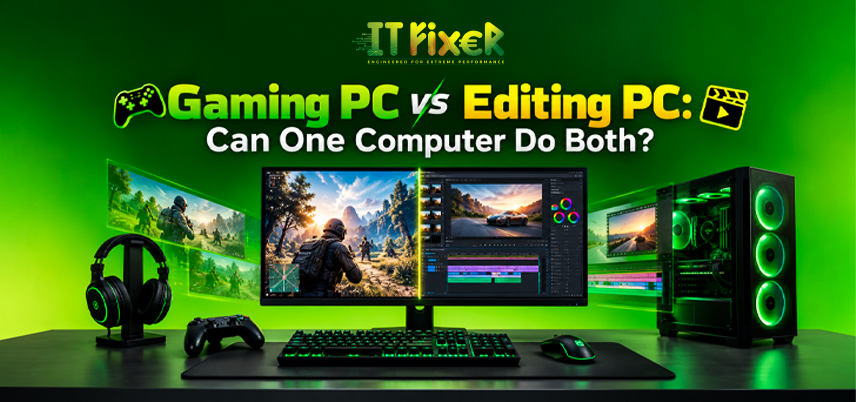
Gaming PC vs Editing PC: Can One Computer Do Both?
Gaming and video editing place different demands on computer hardware, but one properly balanced system can handle both. A single computer can support gaming workloads, YouTube video editing, live streaming, screen recording, and creative applications. The main difference is workload priority: gaming emphasizes graphics performance and frame rate, while editing focuses more on processing, memory, storage, and rendering.
Is an All-in-One PC Setup for Gaming and Editing Practical?
An all-in-one PC setup for gaming and editing makes sense for users who want one machine for entertainment and content creation. A balanced configuration can switch between gaming and creative applications without requiring separate systems. A reliable all-in-one PC setup for gaming and editing can therefore support:
- Gaming at 1080p or 1440p
- Timeline editing for YouTube videos
- Live streaming and screen recording
- Color grading and effects
- Video export and encoding
- Everyday multitasking
The important point is balance rather than choosing the most expensive component.
What to Look for in a Gaming PC in Chennai
Someone comparing a gaming PC in Chennai should first identify the games and target resolution. Esports gaming at high refresh rates has different requirements from visually demanding 4K gaming.
GPU performance, CPU capability, ray tracing, and VRAM all contribute to gaming performance. A practical gaming PC in Chennai should also have adequate cooling for sustained gaming sessions.
What to Look for in an Editing PC in Chennai
An Editing PC in Chennai needs to remain responsive while handling media files, effects, transitions, and multiple applications. Unlike gaming, editing performance is not measured primarily by FPS.
Adobe Premiere Pro, DaVinci Resolve, Adobe After Effects, and CapCut can place different demands on the system, so a suitable Editing PC in Chennai should match the software and footage being used.
For regular creators, priorities include:
- Smooth timeline playback
- Faster decoding and encoding
- Efficient video rendering
- Adequate cache space
- Fast project storage
- Reliable video export
This makes the Editing PC in Chennai conversation more about workflow efficiency than raw gaming benchmarks.
How Gaming Hardware Can Support the Best PC for Editing in Chennai
The best PC for editing in Chennai does not have to be a dedicated workstation. A capable gaming graphics card can accelerate supported editing tasks through GPU acceleration and hardware acceleration.
However, the GPU should be considered as part of the complete system. Someone seeking the best PC for editing in Chennai should consider rendering frequency, project size, and whether they work with 1080p, 1440p, or 4K footage.
Building a Custom PC for Gaming and Editing Around Both Workloads
A custom PC for gaming and editing provides more flexibility than a fixed configuration. The system can be balanced around gaming, editing, and future workloads.
For mixed use, a custom PC for gaming and editing can be planned around:
- Modern multi-core processor
- Dedicated graphics card
- 32GB DDR5 RAM for demanding multitasking
- NVMe SSD for applications and active projects
- Additional storage for media files
- Suitable motherboard expansion
- Adequate PSU capacity
- Effective CPU cooling
This approach also makes future upgradeability easier.
Can a Gaming PC in Chennai Handle 4K Video Editing?
Yes, a properly balanced gaming PC in Chennai can edit 4K video. Editing adds sustained workloads such as rendering, decoding, color grading, and effects.
A creator who also games should consider separate storage for applications, active projects, and media libraries. The all-in-one PC setup for gaming and editing becomes particularly useful when one computer needs to handle both gaming and content production.
RAM, Storage and Cooling for an Editing PC in Chennai
For an Editing PC in Chennai, memory capacity can influence how comfortably the system handles complex timelines and multitasking. DDR5 RAM provides a modern platform for demanding workloads.
Storage planning should separate active work from larger media archives.
A well-planned Editing PC in Chennai should also maintain stable temperatures during long renders.
Finding the Right Balance for the Best PC for Editing in Chennai
The best PC for editing in Chennai for a gamer-creator should not be selected solely from a gaming specification sheet. Consider the complete workflow:
For gaming: prioritize GPU performance, VRAM, FPS, resolution, and refresh rate.
For editing: consider CPU cores, RAM, SSD speed, GPU acceleration, timeline playback, and rendering.
For both: consider compatibility, cooling, storage capacity, and upgradeability.
This balanced approach can make the best PC for editing in Chennai suitable for both creative production and entertainment.
When to Choose a Custom PC for Gaming and Editing
A custom PC for gaming and editing is particularly useful when your workload falls between a conventional gaming machine and a professional video production workstation. A creator may record gameplay, edit footage in Premiere Pro, create motion graphics in After Effects, and manage other applications.
A custom PC for gaming and editing can also provide better control over storage configuration and future upgrades.
For users expecting their workloads to grow, a custom PC for gaming and editing provides a clearer upgrade path.
Gaming PC in Chennai vs Editing PC in Chennai Which Fits You?
The choice between a gaming PC in Chennai and an Editing PC in Chennai depends on your primary workload. Gamers can prioritize graphics performance and high frame rates, while editors can focus more on rendering, timeline performance, and storage.
If gaming is the main activity with occasional editing, a gaming-oriented configuration can work well. If professional video production is the priority, more of the budget can go toward processing power, memory, storage, and creator-focused GPU capabilities.
Can One Computer Really Do Both?
For most gamers and creators, yes. A properly designed all-in-one PC setup for gaming and editing can cover gaming, content creation, live streaming, screen recording, and video production without requiring two machines.
A gaming PC in Chennai can become a capable creator system when configured for mixed workloads, while an Editing PC in Chennai can also handle gaming when its graphics hardware is sufficiently capable.
The final all-in-one PC setup for gaming and editing should therefore be based on actual games, editing software, footage resolution, project size, and future requirements rather than a single benchmark number.
Choosing a PC for Gaming and Editing
A reliable custom PC for gaming and editing can avoid the need for separate systems when the configuration matches both workloads.
For buyers comparing the best PC for editing in Chennai, the right configuration should leave room for future upgrades instead of concentrating the budget on one component. A thoughtful custom PC for gaming and editing can serve as a gaming machine, editing workstation, streaming system, and everyday desktop in one.
Compare gaming and editing PCs in Chennai to see if one system can handle gaming, video editing, streaming, and demanding creative workloads.

IT FIXER
DLSS 5 Explained: What Does AI Neural Rendering Actually Change?
- OCTOBER 17, 2026
Your FPS Looks High but the Game Feels Laggy
- OCTOBER 15, 2026
Upgrade or Replace Your Gaming PC? 7 Signs You Need a New Build
- OCTOBER 13, 2026
Need Any Help
Call Us 24/7 Full Support
Leave a comments
Your email address will not be published. Required fields are marked *