





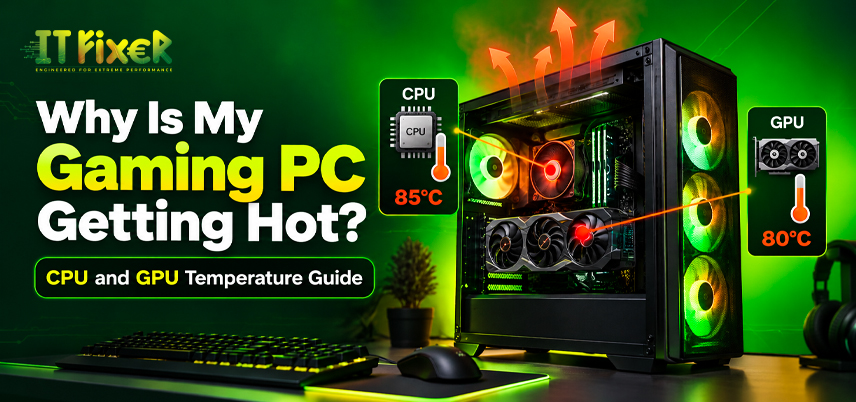
Why Is My Gaming PC Getting Hot? CPU and GPU Temperature Guide
A gaming PC naturally produces heat under load, but unusually high temperatures can indicate cooling or airflow problems. Understanding CPU temperature and GPU temperature helps distinguish normal heat from overheating. This CPU and GPU temperature guide covers temperature ranges, causes, monitoring, and cooling.
What Are Normal CPU and GPU Temperatures While Gaming?
A useful CPU and GPU temperature guide should focus on workload rather than one universal number. Gaming temperatures vary with hardware, room temperature, and cooling.
For many systems:
- CPU while gaming: around 50–80°C is common.
- GPU while gaming: around 55–80°C is common.
- Idle temperatures: are usually much lower.
- Near thermal limits: sustained operation deserves attention.
These are guidelines rather than guarantees. Manufacturer CPU thermal limits and GPU thermal limits remain more important than an arbitrary target.
How Should You Monitor CPU and GPU Temperatures?
Reading a CPU and GPU temperature guide is more useful when temperature is considered alongside CPU usage, GPU usage, FPS, fan speed, and performance.
When Is CPU Overheating While Gaming a Problem?
CPU overheating while gaming becomes a concern when the processor approaches its thermal limit and performance falls. High temperatures can trigger thermal throttling, reducing processor speed to control heat.
Watch for:
- Sudden performance drops
- CPU throttling
- FPS drops in processor-heavy games
- Unusual fan noise
- System crashes or shutdowns
- Persistent temperature spikes
Modern processors include protection, so CPU overheating while gaming does not automatically mean damage.
What Are the Signs of GPU Overheating While Gaming?
GPU overheating while gaming can occur during high-resolution gaming, ray tracing, or demanding graphics settings. Heat also depends on cooling, airflow, and ambient temperature.
If GPU overheating while gaming causes GPU throttling, unstable clocks, visual artifacts, or major FPS drops, check the cooling system before replacing the graphics card.
Check GPU fan speed, temperature behavior, and whether the fans respond properly to increased load.
Why Does My PC Get Hot During Demanding Games?
To understand why is my PC getting hot, start with the workload. Demanding games can increase CPU and GPU usage, while resolution, ray tracing, FPS limits, background processes, and ambient temperature also affect heat.
Check:
- CPU usage
- GPU usage
- Frame rate
- Resolution
- Graphics settings
- Background processes
- Ambient temperature
How Can You Reduce CPU Temperature Without Losing Performance?
To learn how to reduce CPU temperature, start with basic cooling checks before changing processor settings:
- Clean dust from the heatsink and fans.
- Check that the CPU cooler is mounted correctly.
- Confirm the CPU fan speed responds to load.
- Improve case airflow.
- Close unnecessary background processes.
- Review CPU-heavy game settings.
Poor CPU cooler performance can allow heat to build up even when the processor operates normally.
How Can Cooling and Airflow Prevent CPU Overheating?
When CPU overheating while gaming continues after cleaning, inspect the cooling system. Air cooling can work well when properly matched, while an AIO cooler can help with sustained workloads.
Keep airflow paths clear, since cables can create an airflow obstruction around the cooler or graphics card. Room temperature also affects thermal headroom.
How Can You Improve Graphics Card Cooling?
When dealing with GPU overheating while gaming, examine the graphics card's cooling system first. Dust, blocked filters, restricted ventilation, or poor airflow can reduce heat dissipation.
If GPU overheating while gaming occurs only in certain games, compare GPU usage and graphics settings. Uncapped FPS can keep the GPU under load.
GPU undervolting can reduce power consumption and heat, but test stability.
Why Does My PC Get Hot Even With Good Fans?
If you're still wondering why is my PC getting hot after installing additional fans, airflow direction may be the problem. More fans do not always mean better cooling.
Effective PC case airflow requires balanced intake and exhaust. Check fan direction, filters, GPU airflow, cable placement, and ventilation.
Proper airflow optimization can improve cooling more than simply adding another fan.
Can Software Settings Reduce CPU Temperature?
Learning how to reduce CPU temperature can also involve software settings. Limiting unnecessary background processes can reduce CPU usage.
Advanced users may explore CPU undervolting, but test stability afterward. CPU overclocking can increase power consumption and heat, so make one change at a time.
How Should You Monitor CPU and GPU Temperatures?
A reliable CPU and GPU temperature guide should include monitoring so you can evaluate system behavior instead of relying on guesswork.
Compare temperatures during:
- Idle operation
- Normal gaming
- Long gaming sessions
- Stress testing
- Different room temperatures
This establishes a baseline for temperature spikes.
What Causes CPU Overheating While Gaming?
Persistent CPU overheating while gaming can result from an undersized cooler, degraded thermal paste, poor heatsink contact, restricted airflow, aggressive CPU settings, background workloads, high ambient temperature, or a slow fan curve.
Identify the source before replacing hardware.
When Does GPU Overheating Affect Gaming Performance?
If GPU overheating while gaming is followed by performance drops, check for thermal throttling. The graphics card may reduce its clock speed to control heat.
Distinguish GPU overheating while gaming from a demanding game workload. High GPU temperature alone is not necessarily a fault when the card remains within its operating limits.
Why Does My PC Get Hot After a Hardware Upgrade?
If you're wondering why is my PC getting hot after installing a new graphics card or processor, check whether the new component has increased total heat output.
A more powerful GPU may need stronger airflow, while a faster CPU may need better cooling. After an upgrade, check PSU capacity, component placement, fan orientation, and ventilation.
CPU Temperature Troubleshooting Checklist
If you still need to know how to reduce CPU temperature, review the earlier cooling checks before advanced tuning. Pay attention to dust, cooler mounting, airflow, room temperature, and fan behavior. Test CPU undervolting only when you understand the stability requirements.
Key Takeaways for Safe Gaming PC Temperatures
The main CPU and GPU temperature guide takeaway is simple: judge temperature alongside workload, hardware, fan behavior, and performance.
If CPU overheating while gaming causes throttling or crashes, investigate CPU cooling and airflow. If GPU overheating while gaming causes throttling or instability, check the graphics card cooler and ventilation.
If you're still wondering why is my PC getting hot, monitor before making changes. For how to reduce CPU temperature, start with airflow, dust removal, cooling, and sensible software settings.
Understand why your gaming PC gets hot, learn safe CPU and GPU temperatures, and discover cooling tips to improve performance and prevent overheating.

IT FIXER

DLSS 5 Explained: What Does AI Neural Rendering Actually Change?
- OCTOBER 17, 2026
Your FPS Looks High but the Game Feels Laggy
- OCTOBER 15, 2026
Upgrade or Replace Your Gaming PC? 7 Signs You Need a New Build
- OCTOBER 13, 2026
Need Any Help
Call Us 24/7 Full Support
Leave a comments
Your email address will not be published. Required fields are marked *