





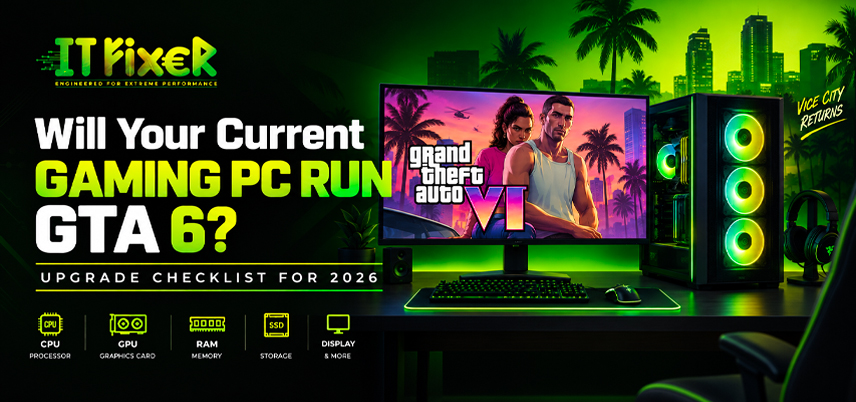
Will Your Current Gaming PC Run GTA 6? Upgrade Checklist for 2026
Rockstar has not published official PC system requirements, so online GTA 6 PC requirements should be treated as estimates until confirmed.
Check Your Current Hardware: GTA 6 PC Upgrade Checklist for 2026
Before buying new parts, record your CPU, GPU, VRAM, RAM, SSD capacity, motherboard, PSU wattage and cooling. The GTA 6 PC upgrade checklist for 2026 should start with your existing hardware rather than a generic parts list.
Check Your Core Hardware to See If Your PC Can Run GTA 6
Focus on the components that have the biggest effect on gaming performance:
- CPU: Check its generation, core count and performance. An older or weaker processor can create a CPU bottleneck.
- GPU: Record the exact graphics card, VRAM capacity and current performance.
- RAM: Check total memory and usage while running demanding games.
- SSD: Check available space, drive health and total capacity.
- PSU: Record wattage, connectors and age.
This baseline helps assess GTA 6 hardware requirements. How do I know if my PC can run GTA 6? Start by documenting these specifications and comparing them with confirmed targets when Rockstar publishes them.
How do I know if my PC can run GTA 6? Measure Real Performance
Run demanding modern games and monitor average FPS, 1% lows, CPU and GPU utilization, temperatures and VRAM usage.
High GPU utilization with available CPU headroom can indicate a graphics limitation. Heavy CPU usage with an underused GPU may point toward a processor limitation. How do I know if my PC can run GTA 6? Compare results across several demanding games instead of relying on one benchmark.
Build a Balanced PC Baseline to See What Specs Are Needed for GTA 6
What PC specs are needed to run GTA 6? Official figures are still required. Once Rockstar publishes them, compare GTA 6 CPU requirements, GTA 6 GPU requirements, GTA 6 RAM requirements and GTA 6 SSD requirements with your current system.
For planning purposes, consider a modern multi-core CPU, dedicated GPU with suitable VRAM, adequate system memory, a fast NVMe SSD or PCIe SSD, compatible motherboard and PSU, and effective cooling. What PC specs are needed to run GTA 6? Make sure storage also leaves room for future updates.
Find the Bottleneck: What Should I Upgrade for GTA 6?
What should I upgrade on my PC for GTA 6? The answer depends on which component currently limits performance.
If the CPU is restricting FPS, a processor upgrade may provide more benefit than replacing the GPU. If GPU utilization remains high and lowering graphics settings produces a significant FPS increase, the graphics card may be the limiting component.
Upgrade RAM when available capacity is consistently exhausted. An SSD upgrade can improve storage capacity and loading performance, but it should not be presented as a direct FPS upgrade.
Identify the Weakest Link Before Upgrading Your PC for GTA 6
Measure the bottleneck, check compatibility and cooling, upgrade the limiting component, and then test again. What should I upgrade on my PC for GTA 6? Start with the part that restricts your current gaming performance rather than replacing the entire system.
Can a mid-range gaming PC run GTA 6? Judge the Target
A mid-range system may handle demanding modern games, but GTA 6 performance cannot be confirmed until official PC requirements and testing are available.
Can a mid-range gaming PC run GTA 6? The final answer depends on Rockstar's published requirements and real-world PC testing.
Explore Upgrade Headroom for a Mid-Range Gaming PC Running GTA 6
A newer CPU and compatible motherboard may support a targeted graphics card upgrade, while an older platform could require several components to be replaced together.
Can a mid-range gaming PC run GTA 6? Consider the CPU, GPU, memory, storage and cooling as one complete platform rather than judging the system by a single component.
Test Before Replace Your PC For GTA 6 PC Upgrade Checklist in 2026
Keep your existing PC until reliable requirements and benchmarks are available. Test demanding games at your intended resolution and record FPS, CPU/GPU utilization, temperatures and VRAM usage.
These measurements can reveal whether the current limitation is the CPU, GPU, RAM, storage or thermal performance.
Facts vs Estimates: What PC Specs Are Needed to Run GTA 6?
Online lists may publish GTA 6 minimum specs or GTA 6 recommended specs, but these should not be treated as official without Rockstar confirmation.
What PC specs are needed to run GTA 6? Use the publisher's confirmed PC requirements as the final reference rather than relying on unofficial specifications.
Rockstar has published PC requirements for GTA V Enhanced, but those specifications apply to GTA V. What PC specs are needed to run GTA 6? Wait for GTA VI's own requirements before treating any specification list as definitive.
What should I upgrade on my PC for GTA 6? Verify Every Part
After official requirements arrive, compare your CPU, GPU, VRAM, RAM, SSD, PSU and motherboard with the published targets.
If only the GPU falls short, focus on graphics performance. If the processor misses the target, consider the CPU and motherboard together. What should I upgrade on my PC for GTA 6? Also verify PCIe compatibility, PSU wattage, cooling capacity and case clearance.
Check System Readiness that Can a Mid-Range Gaming PC Run GTA 6?
Before upgrading, confirm the CPU and GPU targets, VRAM and RAM capacity, SSD space, PSU wattage, motherboard compatibility, cooling requirements, resolution and intended graphics settings.
Can a mid-range gaming PC run GTA 6? If only one component falls short of the confirmed target, a targeted upgrade may be enough.
Stay Evidence-Based With the GTA 6 PC Upgrade Checklist for 2026
Use official information as the final reference and avoid buying hardware solely because an unofficial article describes it as GTA 6-ready.
If you still ask, “How do I know if my PC can run GTA 6?”, document your system, measure current performance and compare it with confirmed requirements.
A final GTA 6 PC upgrade checklist for 2026 should identify the actual bottleneck and upgrade only the components needed to close the performance gap.
GTA 6 PC Upgrade Checklist for 2026 Gamers

IT FIXER
DLSS 5 Explained: What Does AI Neural Rendering Actually Change?
- OCTOBER 17, 2026
Your FPS Looks High but the Game Feels Laggy
- OCTOBER 15, 2026
Upgrade or Replace Your Gaming PC? 7 Signs You Need a New Build
- OCTOBER 13, 2026
Need Any Help
Call Us 24/7 Full Support
Leave a comments
Your email address will not be published. Required fields are marked *