





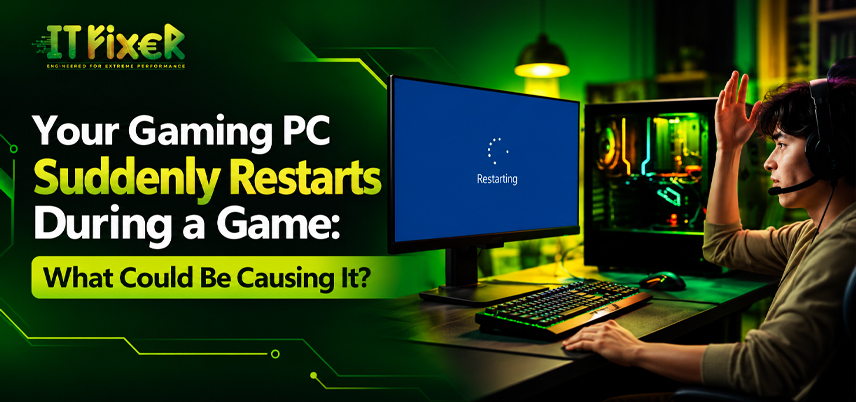
Your Gaming PC Suddenly Restarts During Game What Could Be Causing It?
A gaming PC that reboots mid-match can interrupt progress and raise concerns about hardware damage. Heat, unstable power, memory errors, drivers or Windows settings may be responsible. If your PC suddenly restarts during a game, note whether it happens with one demanding title or across several games before changing parts.
Diagnose why your PC suddenly restarts during a game
Check whether the restart follows a long session, a graphics-heavy scene or a recent hardware change. To answer ‘Why does my gaming PC suddenly restart during a game?’, record the game, temperatures and recent changes.
- Reboots under heavy load can point to CPU temperature while gaming, GPU temperature under load or power delivery.
- Crashes after settings changes may involve CPU overclocking instability, GPU overclocking issues or an unstable XMP or EXPO memory profile.
- Restarts across different titles can suggest a wider system issue.
Check heat before replacing hardware
CPU overheating and GPU overheating can trigger instability when cooling cannot keep up with demand. Monitor CPU temperature while gaming and GPU hotspot temperature during a repeatable session. Compare readings with the manufacturer’s operating limits rather than relying on one universal number.
Reduce heat with practical cooling checks
- Clean dust from filters, fans and heatsinks.
- Confirm case airflow is not blocked and fans spin correctly.
- Review CPU cooler performance and check the cooler mount.
- Avoid repeated stress tests until cooling problems are resolved.
If your PC suddenly restarts during a game as temperatures climb, pause demanding tests until cooling is checked.
Check why your PC suddenly restarts during a game under heat stress
If a reboot follows prolonged gameplay, inspect fan speeds and cooler installation. If temperatures remain normal, investigate power delivery and system logs.
Check whether the power supply can handle gaming load
A power supply unit (PSU) must provide stable power for the processor and graphics card, including short load spikes. Insufficient PSU wattage, a faulty power supply or PSU voltage instability can cause an unexpected reboot when GPU power consumption rises.
What to check when your computer restarts when playing games
Check the PSU model, rated capacity and GPU power connectors. Inspect motherboard connections if necessary. Never open the PSU casing because dangerous voltages may remain inside.
Understand why the computer reboots during gameplay under load
The phrase computer restarts when playing games describes a symptom, not a diagnosis. If computer randomly restarts during games repeatedly, compare PSU specifications with the graphics card manufacturer's requirements and have questionable connectors inspected.
Investigate drivers, Windows logs and system errors
A GPU driver crash may close a game, while broader instability can reboot Windows. Install a suitable graphics driver update from the GPU maker and consider a chipset driver update if problems began after a platform change.
Why does my gaming PC suddenly restart during a game? Use system logs to investigate
Open Windows Event Viewer and review Windows system logs around the restart time. Kernel-Power Event ID 41 records that Windows did not shut down cleanly; it does not by itself prove the PSU is faulty. Check Windows crash logs or a blue screen restart. Review automatic restart settings if a stop error disappears too quickly.
Use Windows records to understand why your gaming PC suddenly restarts during a game
Note the restart time and nearby errors. If the issue followed a driver update, consider reverting to a previously stable version.
Test memory & overclocking stability PC restarts randomly while gaming
Unstable RAM overclock settings can fail under gaming loads even if the desktop appears normal. Return CPU and GPU tuning to default values, then run a RAM stability test. If XMP or EXPO settings were recently enabled, test the standard memory profile.
Check PC restarts randomly while gaming after a memory change
Run CPU stress test and GPU stress test separately while monitoring temperatures. Change one variable at a time and consult motherboard guidance if instability followed a BIOS or memory change.
How to fix a gaming PC restarting during games
A sensible fix starts with evidence, not random part replacement. Work through these checks in order:
- Save important files and note when the restart occurs.
- Check temperatures, fans, vents and dust.
- Review Windows logs and recent driver changes.
- Remove overclocks temporarily and test RAM stability.
- Verify PSU specifications and connectors with qualified help if needed.
When investigating how to fix gaming PC restarting during games, change one setting at a time and retest the same title.
How can I stop my PC from restarting during games?
If the problem followed a graphics driver update, roll back to a previously stable version. Avoid changing multiple drivers or BIOS settings simultaneously.
how to fix gaming PCs that keep restarting during games ?
If restarts affect multiple titles or memory tests fail, arrange hardware diagnostics before replacing parts.
Decide when professional troubleshooting is worthwhile
If you still cannot determine why your gaming PC suddenly restarts during a game after basic checks, seek professional help if reboots continue or you notice a burning smell, unusual electrical sounds or damaged connectors. Stop using it if you suspect an electrical fault.
When PC restarts randomly while gaming needs expert inspection
Ask the technician for test results before approving replacement parts. If your PC restarts randomly while gaming across multiple titles, request a broader hardware inspection.
Final recommendation
Heat, unstable power, memory settings, drivers and other hardware faults can all cause reboots. Keep notes and change one setting at a time. computer restarts when playing games describes your problem, use Event Viewer and temperature monitoring to guide your next troubleshooting step. How can I stop my gaming PC from restarting during games? deserves a systematic diagnosis rather than guesswork. When asking ‘How can I stop my gaming PC from restarting during games?, start by checking temperatures, system logs and recent changes.
Does your gaming PC restart unexpectedly during gameplay? Discover common causes like overheating, power supply issues, and faulty hardware, plus fixes.

IT FIXER
RAM Upgrade or SSD Upgrade: Which Makes Your PC Feel Faster?
- OCTOBER 20, 2026
DLSS 5 Explained: What Does AI Neural Rendering Actually Change?
- OCTOBER 17, 2026
Your FPS Looks High but the Game Feels Laggy
- OCTOBER 15, 2026
Need Any Help
Call Us 24/7 Full Support
Leave a comments
Your email address will not be published. Required fields are marked *