





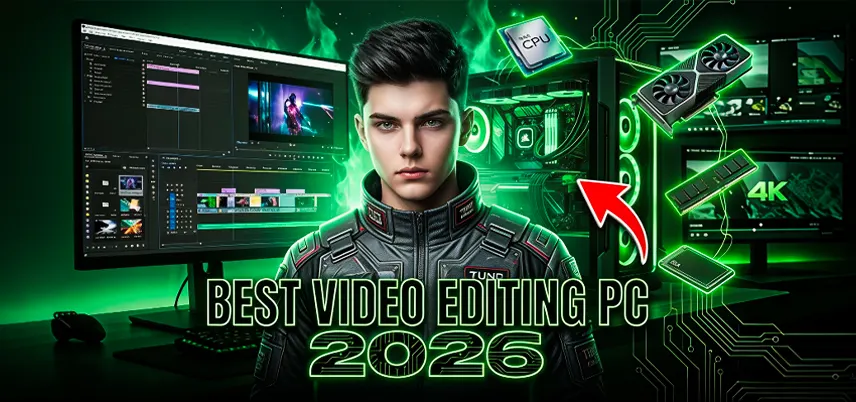
Best PC Build for Video Editing in 2026
Video editing has become one of the most demanding tasks for modern computers. With the rise of high-resolution content such as 4K and even 8K videos, creators need powerful systems that can handle large files, complex timelines, and heavy effects without slowing down. Whether you are a YouTuber, filmmaker, content creator, or professional editor, having the right video editing PC can dramatically improve your workflow.
Choosing the best computer for video editing is not just about buying the most expensive components. A well-balanced system with the right CPU, GPU, RAM, and storage ensures smooth performance, faster rendering, and a much better editing experience.
Why a Powerful PC is Important for Video Editing
Video editing software like Adobe Premiere Pro, DaVinci Resolve, and Final Cut Pro processes huge amounts of data when handling video files. High-resolution footage requires fast processing power, sufficient memory, and high-speed storage to function smoothly.
If your system does not have enough power, you may face several problems:
- Lagging timeline playback
- Slow rendering and exporting
- Crashes when editing large files
- Difficulty working with effects and transitions
A well-built video editing PC eliminates these issues and allows creators to focus on creativity instead of technical limitations.
Understand Your Editing Requirements
Before choosing components, it is important to understand what type of editing work you will be doing. This will help determine the level of performance your video editing computer needs.
Basic Video Editing
Basic editing usually includes trimming clips, adding transitions, and creating simple videos for social media platforms. For this type of work, a mid-range video editing PC is usually sufficient. Typical features of a basic editing computer include:
- Mid-range processor
- 16GB RAM
- Entry-level GPU
- SSD storage
These systems are considered good editing computers for beginners who are just starting with video production.
Intermediate Video Editing
Intermediate editing involves working with multiple video layers, color grading, motion graphics, and higher-resolution footage. Many YouTubers and content creators fall into this category.
For this level of editing, the best video editing PC should include The following:
- A powerful multi-core processor
- At least 32GB RAM
- A dedicated graphics card
- High-speed NVMe SSD storage
This configuration ensures smooth playback and faster rendering for more complex projects.
Professional Video Editing
Professional editors often work with large projects that involve high-resolution footage, complex visual effects, and detailed color grading. These projects require a high-performance video editing computer with advanced hardware.
Professional editing PCs typically include:
- High-core-count CPUs
- 64GB RAM or more
- High-end GPUs
- Multiple NVMe SSD drives
These machines are among the best computers for video editing, capable of handling demanding professional workloads.
Importance of Motherboard in Video Editing PCs
Many people focus mainly on CPU and GPU when building a video editing PC, but the motherboard is also very important. The motherboard connects all components and ensures smooth communication between them. A good motherboard allows you to
- Upgrade RAM in the future
- Add more SSD storage drives
- Install powerful graphics cards
- Use faster connectivity options
When building a good desktop for video editing, it is recommended to choose a motherboard that supports modern technologies like PCIe 4.0 or PCIe 5.0. These technologies enable faster data transfer speeds, which improves overall system performance.
Cooling System for Video Editing Computers
Video editing and rendering tasks can push your system to its limits. When your video editing computer works for long hours processing large files, it generates a lot of heat. Without proper cooling, the system may experience performance issues such as:
- CPU throttling
- Reduced performance
- System instability
To maintain optimal performance, the best video editing PC should include an efficient cooling system. There are two main types of cooling solutions:
Air Cooling
Air coolers are affordable and reliable. They use large heatsinks and fans to dissipate heat from the processor.Advantages include:
- Lower cost
- Easy installation
- Reliable long-term performance
Liquid Cooling
Liquid cooling systems use coolant to transfer heat away from the processor. These systems are often used in high-performance, good editing computers. Advantages include:
- Better temperature control
- Quieter operation
- Improved performance during heavy workloads
Both cooling options can work well depending on your budget and performance needs.
Power Supply for Video Editing PC
The power supply unit (PSU) is another essential component in a video editing PC build. It provides electricity to all hardware components in the system. A low-quality power supply can cause the following;
- Random shutdowns
- Hardware damage
- System instability
For the best computer for video editing, it is recommended to choose a high-quality PSU with sufficient wattage to support your CPU and GPU.
Typical power requirements include the following:
- 550W – 650W for mid-range systems
- 750W – 850W for high-performance editing PCs
A reliable PSU ensures stable performance for long editing sessions.
Importance of Display for Video Editing
A powerful video editing computer is only part of the editing setup. The monitor you use also plays a significant role in the editing process. Video editors require displays that offer:
- High resolution
- Accurate color reproduction
- Wide viewing angles
Many professional editors prefer 4K monitors because they provide sharper details and better workspace for editing timelines. A good monitor helps transform your video editing PC into a complete professional editing workstation.
Advantages of Custom Video Editing PCs
Many creators prefer building their own systems rather than buying pre-built machines. A custom video editing PC offers several advantages.
Better Performance
Custom systems allow you to select powerful components optimized for editing tasks.
Upgrade Flexibility
You can upgrade RAM, storage, or GPU whenever needed.
Cost Efficiency
Custom builds often provide better value compared to branded systems with similar specifications.
Personalized Setup
You can choose components based on your exact editing requirements. Because of these benefits, many professionals choose a custom good desktop for video editing setups rather than standard computers.
Common Mistakes When Building a Video Editing PC
Even experienced users sometimes make mistakes when building editing systems. Avoiding these mistakes can help you build one of the best video editing PCs.
Choosing Too Little RAM
Insufficient RAM can slow down editing workflows.
Ignoring Storage Speed
Using slow hard drives instead of SSDs can reduce performance.
Spending Too Much on One Component
A balanced system performs better than one with an expensive GPU but weak CPU or RAM.
Poor Cooling
Without proper cooling, system performance may drop during long rendering tasks.
By avoiding these mistakes, you can build a video editing computer that performs reliably.
Why Investing in a Good Editing Computer Matters
A powerful video editing PC can dramatically improve productivity. Faster rendering, smooth playback, and stable performance allow creators to focus on storytelling rather than technical problems. Whether you are a beginner content creator or a professional filmmaker, investing in the best computer for video editing helps you produce high-quality videos more efficiently. A well-built, good desktop for video editing not only improves workflow but also ensures your system remains capable of handling future editing demands.
Final Thoughts
Building the best PC for video editing in 2026 requires careful selection of components that work together efficiently. A powerful processor, sufficient RAM, a dedicated GPU, and fast SSD storage are the key elements of a high-performance editing system. Whether you are a beginner creator or a professional filmmaker, investing in a well-balanced video editing PC can dramatically improve productivity and reduce rendering time.
A properly configured video editing computer not only makes editing smoother but also ensures that your system remains capable of handling demanding projects in the future. If you choose the right components and plan your build carefully, you can create one of the best video editing PCs that delivers reliable performance for years to come.
Best PC Build for Video Editing in 2026

IT FIXER
How to Choose a Graphics Card for Gaming: Complete Guide
- SEPTEMBER 12, 2026
60Hz vs 144Hz vs 240Hz: Which Gaming Monitor Is Best?
- SEPTEMBER 10, 2026
1080p vs 1440p Gaming: Which Is Better?
- SEPTEMBER 5, 2026
Need Any Help
Call Us 24/7 Full Support
Leave a comments
Your email address will not be published. Required fields are marked *