





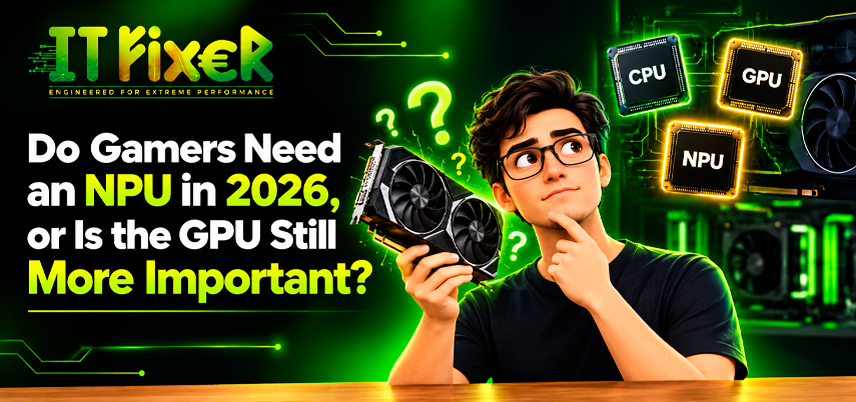
Do Gamers Need an NPU in 2026, or Is the GPU Still More Important?
In 2026, gaming PCs increasingly include AI hardware, but not every AI feature requires a neural processing unit (NPU). The graphics card remains the main influence on rendering quality and frame rates, while an NPU handles supported background AI tasks rather than replacing a dedicated GPU.
NPU vs GPU for gaming performance: Which component matters most?
NPU vs GPU for gaming performance depends on workload. A GPU renders graphics and processes shaders, while an NPU accelerates supported neural-network operations. Although both can support AI applications, they serve different purposes.
- GPU: renders game graphics, processes shaders and supports GPU-based AI upscaling.
- NPU: handles compatible AI inference tasks efficiently, often with lower power consumption.
- CPU: coordinates game logic, operating-system tasks and communication between components.
Compare NPU vs GPU for gaming performance at real gaming settings
In demanding games, the GPU determines much of the achievable graphics quality and frame rate. An NPU may accelerate compatible AI features, but it does not automatically increase FPS.
Understand NPU vs GPU for gaming performance before buying a new PC
An AI PC is not automatically a better gaming machine. For NPU vs GPU for gaming performance, evaluate the graphics card, processor and cooling before paying extra for NPU capabilities you may not use.
Is an NPU necessary for gaming on a 2026 PC?
An NPU is generally optional for conventional PC gaming, where the CPU and dedicated graphics card handle the main workload. Is an NPU necessary for gaming? Only if you also need compatible AI features that benefit from it.
An NPU may be useful for:
- Compatible webcam effects, background removal and voice processing.
- Selected local AI applications that support NPU acceleration.
- Some productivity tasks that benefit from on-device AI processing.
Decide whether an NPU is necessary for gaming and everyday use
Is an NPU necessary for gaming becomes a more relevant question when choosing a laptop for work and entertainment. Check whether your applications support NPU acceleration before paying extra; demanding games still need suitable graphics hardware.
Check if an NPU is necessary for gaming while streaming
Streamers may run voice cleanup, camera effects and broadcasting tools alongside a game. Some applications support NPU acceleration, while others use the CPU or GPU. Is an NPU necessary for gaming while streaming depends on the software and workload.
Choose gaming PC GPU requirements 2026 around the games you play
Set gaming PC GPU requirements 2026 according to your target resolution, refresh rate and games. Competitive 1080p gaming may prioritize high FPS, while demanding 1440p and 4K titles require more graphics performance and memory. Use game-specific benchmarks instead of relying on AI PC branding.
Match GPU requirements for modern games resolution and settings
Match the graphics card to your display and preferred settings. When comparing gaming PC GPU requirements 2026, check memory capacity, ray tracing performance, upscaling support and power consumption. These factors have a more direct impact on gaming than an NPU upgrade.
Review gaming PC hardware priorities 2026 before upgrading
Before replacing a graphics card, verify power supply capacity, case clearance, cooling and motherboard compatibility. Gaming PC hardware priorities 2026 should also account for CPU limitations. Identify the bottleneck before upgrading.
Where NPU benefits for gamers and streamers can make a difference
NPU benefits for gamers and streamers include supported camera effects, noise reduction and local AI tasks. These functions can run alongside gameplay without making the NPU responsible for rendering the game.
Explore NPU gaming laptops India during broadcasts
On compatible systems, NPU acceleration may free GPU resources for gameplay. Results depend on the software and hardware, so NPU benefits for gamers and streamers do not guarantee higher FPS.
Consider NPU requirements for Windows AI features who create content
Creators may use AI for transcription, voice cleanup and other local tasks. Check the NPU requirements for Windows AI features and confirm that your editing or broadcasting software supports them before choosing a system.
Understand GPU importance for gaming before spending on AI features
GPU importance for gaming remains high because the graphics card renders scenes and processes shaders. AI upscaling and frame generation can improve supported games, but compatibility varies. Check whether NVIDIA DLSS, AMD FSR or Intel XeSS is supported in each title.
Assess GPU requirements for modern games at your preferred frame rate
For smoother gameplay, compare average FPS and frame-time consistency at your target resolution. The GPU requirements for modern games become more apparent with demanding settings and ray tracing. An NPU cannot make up for insufficient graphics performance.
Weigh GPU importance for gaming against future AI features
The GPU requirements for modern games also include support for AI upscaling and frame generation. Upgrade the GPU if games fall below your performance target; consider an NPU when your software supports useful AI workloads.
Compare the CPU, GPU and NPU as a complete system
A CPU GPU NPU comparison depends on workload: the CPU handles game logic, the GPU renders graphics, and the NPU accelerates compatible neural processing. Software determines where background AI workloads run.
For gaming while streaming, watch CPU and GPU utilization and test the actual applications you use. A GPU bottleneck, insufficient system memory or poor cooling can matter more than whether the system includes an NPU. Laptop designs also vary in power limits, so gaming laptop processor specifications should be considered alongside the dedicated graphics card.
Final buying advice for gamers in 2026
Choose a graphics card that meets your resolution and FPS target. Consider an NPU only if your preferred applications support useful on-device AI features. For most gaming desktops, the GPU remains the higher priority.
Discover whether an NPU is necessary for gaming in 2026 and why GPU performance remains essential for frame rates, graphics quality and smooth gameplay.

IT FIXER
Can a Gaming PC Run Local AI Models? Hardware Requirements
- OCTOBER 26, 2026
RAM Upgrade or SSD Upgrade: Which Makes Your PC Feel Faster?
- OCTOBER 20, 2026
Need Any Help
Call Us 24/7 Full Support
Leave a comments
Your email address will not be published. Required fields are marked *