





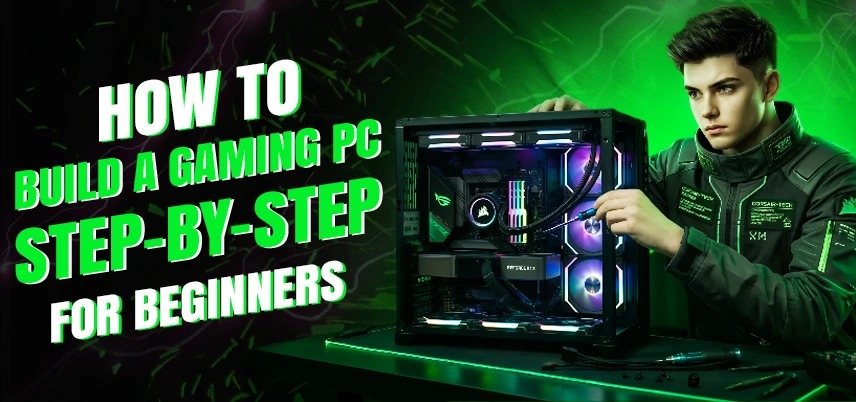
How to Build a Gaming PC Step-by-Step for Beginners
Building your own gaming PC can be an exciting and rewarding experience. It gives you complete control over your computer’s performance. Instead of buying a prebuilt system, building a PC allows you to pick each component and customize the system to fit your gaming needs and budget.
Many new gamers think building a PC is complicated, but with the right PC build components guide, the process becomes much easier.
When you understand how different components work together, like the processor, RAM, motherboard, graphics card, and storage, you can create a powerful gaming system that meets your expectations. In this beginner-friendly guide, we will take you through the step-by-step process of building a gaming PC. We will cover important topics, such as how to choose RAM, how to select the best motherboard for a gaming PC, and the essentials of RAM and motherboard compatibility.
Understanding the Main Components of a Gaming PC
Before starting the build, it’s essential to understand the main components that make up a gaming computer. Every gaming PC consists of several hardware parts that work together to provide smooth gaming performance.
A typical gaming system includes a processor (CPU), motherboard, RAM, graphics card (GPU), storage drive, power supply, cooling system, and a computer case. Following a proper PC build components guide helps beginners select parts that are compatible and can handle modern games. The CPU acts as the brain of the computer. The graphics card handles the visual rendering required for games. The motherboard connects all components, while RAM ensures smooth multitasking and game performance. Choosing the right combination of components is the foundation of a successful gaming PC build.
Choose the Right Processor (CPU)
The processor is one of the most important parts of any gaming PC. It determines how quickly your computer can process tasks and run games.
For beginners building a gaming system, popular processor choices include Intel Core i5, Intel Core i7, and AMD Ryzen series processors. These CPUs provide excellent gaming performance and support modern hardware.
When selecting a processor, ensure you pick a compatible motherboard for i5/i7 processors if you are building an Intel-based system. Compatibility between the CPU and motherboard is essential for proper system functionality. Always check the motherboard chipset and socket type before purchasing a processor.
Select the Best Motherboard for a Gaming PC
The motherboard serves as the central hub connecting all components of your gaming PC. Choosing the best motherboard for a gaming PC ensures your system runs smoothly and supports future upgrades.
A good gaming motherboard should include features like multiple RAM slots, PCIe slots for graphics cards, fast storage support, strong power delivery, and reliable cooling systems.
A detailed gaming motherboard buying guide usually suggests looking for features such as
• Support for modern processors
• High-speed RAM compatibility
• Multiple USB and expansion ports
• Strong VRM design for stable power delivery
• Support for SSD storage technologies
Motherboards come in different sizes, such as ATX, Micro-ATX, and Mini-ITX. ATX boards are generally preferred for gaming PCs because they offer more expansion options and better airflow.
How to Choose RAM for PC
- RAM (Random Access Memory) plays a crucial role in gaming performance. It temporarily stores data that your CPU needs to access quickly, helping games run smoothly without lag.
- Understanding how to choose RAM for a PC is important for beginners building their first system. Most modern gaming PCs require at least 16GB of RAM for smooth gameplay. When selecting RAM, consider the following factors:
- Capacity is the first thing to consider. For gaming, 16GB is the recommended minimum, while 32GB is ideal for heavy multitasking and content creation.
- Speed is also important. Higher RAM speeds allow for faster data transfer between the processor and memory.
- Check the RAM and motherboard compatibility guide to ensure the RAM type and speed are supported by your motherboard.
DDR4 vs. DDR5 RAM - Which Is Better?
- Modern gaming PCs can use either DDR4 or DDR5 memory depending on the motherboard and processor. The DDR4 vs DDR5 RAM comparison is crucial for beginners deciding which memory type to buy.
- DDR4 RAM is currently more affordable and widely used in gaming systems. It provides excellent performance and works well for most games.
- DDR5 RAM is the newer technology that offers faster speeds and improved efficiency. However, it is more expensive and requires a motherboard that supports DDR5.
- When building a budget gaming PC, DDR4 memory is still a great choice. If you’re building a high-end system for future upgrades, DDR5 may be worth considering.
Check RAM and Motherboard Compatibility
One of the most common mistakes beginners make when building a PC is ignoring compatibility between RAM and the motherboard. Following a RAM and motherboard compatibility guide helps ensure your system works correctly without stability issues.
Important compatibility factors include:
- The motherboard must support the RAM generation (DDR4 or DDR5).
- RAM speed must fall within the motherboard’s supported frequency range.
- The motherboard should have enough RAM slots for future upgrades.
Checking the motherboard manufacturer’s compatibility list can help confirm whether your RAM modules will work properly with your chosen motherboard.
Choose the Right Graphics Card (GPU)
- The graphics card is the most important component for gaming performance. It handles all graphical processing required to render game environments, characters, and visual effects.
- Popular GPUs for gaming PCs include NVIDIA RTX series cards and AMD Radeon graphics cards. When selecting a graphics card, consider game resolution, frame rate expectations, and budget.
- A mid-range GPU can handle most modern games at high settings, while high-end GPUs are designed for ultra settings and advanced technologies like ray tracing.
- Following a reliable PC build components guide will help you select a GPU that balances performance and cost.
Choose Fast Storage
Storage plays a major role in loading times and overall system responsiveness. Modern gaming PCs use SSDs instead of traditional hard drives because they offer significantly faster data access speeds.
NVMe SSDs are currently the fastest storage option available. They connect directly to the motherboard and provide extremely fast game loading times.
Many gamers combine a smaller SSD for the operating system with a larger drive for storing games and files.
Select a Reliable Power Supply
- The power supply unit (PSU) provides electricity to all components in the PC. Choosing a reliable PSU is critical for system stability and safety.
- A good power supply should provide enough wattage to support all components, including the graphics card and processor.
- Most gaming systems require a PSU between 550W and 750W, depending on the hardware configuration.
- High-quality power supplies also include safety protections against power surges and overheating.
Choose the Right PC Case and Cooling
- The computer case protects all internal components and allows for proper airflow.
- Gaming PC cases come in various sizes and designs. Many feature tempered glass panels and RGB lighting for visual appeal.
- Good airflow is important for keeping components cool during long gaming sessions. Many cases include multiple fan mounts to improve cooling performance.
- Some advanced systems even use liquid cooling for better temperature control.
Assemble the Components
Once you have all the parts, it is time to assemble your gaming PC.
Start by installing the CPU and RAM onto the motherboard. Then mount the motherboard inside the case and connect the power supply.
Next, install the storage drives and graphics card. After connecting all cables and components, double-check all connections before powering on the system.
Following a structured PC build components guide ensures you complete each step safely and correctly.
Final Thoughts
Building a gaming PC may seem intimidating at first, but with the right guidance, it becomes an enjoyable and educational experience. By understanding key factors such as how to choose RAM, selecting the best motherboard, and following a RAM and motherboard compatibility guide, beginners can avoid common mistakes and build a reliable system. With careful planning and the right PC build components guide, you can create a powerful gaming PC that delivers excellent performance and can be upgraded easily in the future.
Build a Gaming PC Step-by-Step for Beginners

IT FIXER
How to Choose a Graphics Card for Gaming: Complete Guide
- SEPTEMBER 12, 2026
60Hz vs 144Hz vs 240Hz: Which Gaming Monitor Is Best?
- SEPTEMBER 10, 2026
1080p vs 1440p Gaming: Which Is Better?
- SEPTEMBER 5, 2026
Need Any Help
Call Us 24/7 Full Support
Leave a comments
Your email address will not be published. Required fields are marked *