





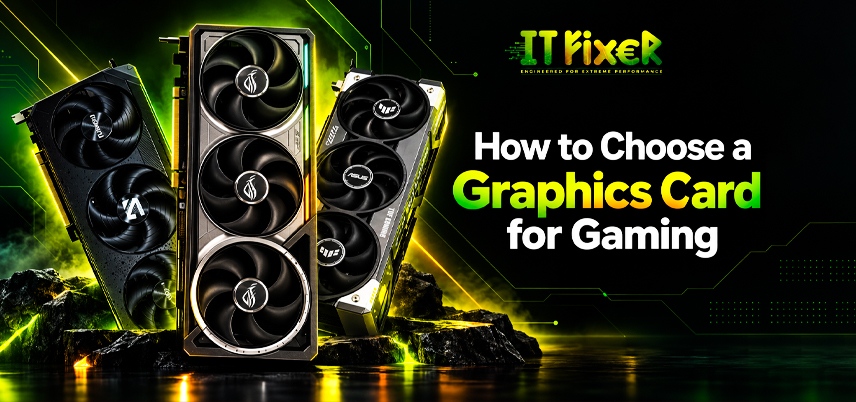
How to Choose a Graphics Card for Gaming: Complete Guide
Choosing a graphics card means matching the GPU to your games, monitor resolution, CPU, PSU, and budget. Higher specifications do not always mean better value, so focus on the performance you actually need.
Gaming PC Builder in Chennai: Start With Your Gaming Resolution
A Gaming PC Builder in Chennai can match the GPU to your target resolution and monitor. For 1080p, an entry-level or mid-range GPU may be enough, while 1440p and 4K gaming generally need more GPU power.
Your monitor's refresh rate also matters. Best Gaming PC Builder in Chennai can help match the GPU's FPS capability to your display, avoiding unnecessary spending on performance your monitor cannot use.
How to Choose a Graphics Card for Gaming? Match GPU Performance to Your Games
Start with the games you play. Competitive titles benefit from high FPS and refresh rates, while AAA, ray-traced, simulation, and open-world games may require more GPU performance and VRAM. This approach is more useful than choosing a card from specifications alone.
Understanding GPU Specifications Before Buying
When comparing a gaming graphics card, several specifications deserve attention.
How to Choose a Graphics Card for Gaming? Check These Specifications
Focus on the specifications that directly affect gaming performance.
VRAM: Stores textures and game data. Higher capacity is useful for higher resolutions and demanding settings.
GPU clock speed: Base and boost clock speeds indicate operating frequencies, although they should not be used alone to predict gaming performance.
CUDA cores and stream processors: Useful for understanding GPU architecture, but numbers should not be compared directly across different architectures.
Ray tracing: Dedicated ray-tracing capabilities can improve lighting and reflections but usually increase GPU workload.
Upscaling and frame generation: Technologies such as DLSS and FSR can improve performance in supported games, while frame generation can increase displayed frame rates under suitable conditions.
Gaming PC Store in Chennai: Compare Real Gaming Performance
Compare GPUs using real gaming benchmarks, including FPS, VRAM usage, temperature, power consumption, and ray tracing. A Gaming PC store in Chennai can help compare gaming-focused GPU options for better price-to-performance.
Graphics Card Budget: Spend Where It Improves FPS
Your graphics card budget should fit the rest of your PC. A high-end GPU may not be worthwhile if the CPU, PSU, or monitor cannot support its performance.
For 1080p gaming, an entry-level or mid-range GPU can be sufficient. For 1440p or 4K gaming, a more powerful GPU may be necessary.
A Gaming PC Builder in Chennai can help balance the GPU budget with the CPU, PSU, monitor, and other components based on your target performance.
How to Choose a Graphics Card for Gaming? Check VRAM and Graphics Settings
VRAM becomes more important at higher resolutions and demanding settings. Choose enough capacity for your games and target resolution rather than assuming more VRAM always means better performance.
Computer Shop in Chennai: Verify Graphics Card Compatibility
A specialist Computer Shop in Chennai can check the motherboard, PCIe slot, PSU, GPU dimensions, cabinet clearance, and cooling to ensure the graphics card fits properly.
GPU Bottleneck and CPU-GPU Balance
A powerful GPU needs a suitable CPU for smooth gaming performance. At 1080p with high FPS, the CPU can become a limiting factor, while higher resolutions put more load on the GPU.
A Gaming PC Builder in Chennai can help balance the CPU and GPU before an upgrade, so you choose components that work well together.
Gaming PC Store in Chennai: Features That Matter for Modern Games
Also consider ray tracing, DLSS or FSR, frame generation, AV1 encoding, and variable refresh support.
How to Choose a Graphics Card for Gaming? Think About Future Upgrades
The most powerful GPU is not always the best choice. Consider its expected lifespan and whether your system can support future upgrades within your budget.
Computer Shop in Chennai: Check Power and Cooling Requirements
A Computer Shop in Chennai can check the PSU wattage, power connectors, cabinet airflow, and cooler design to ensure your GPU runs safely and efficiently.
Gaming PC Store in Chennai: Which GPU Tier Fits You?
Choose the GPU tier based on your resolution, FPS target, and games. A Gaming PC store in Chennai can help compare current and previous-generation cards for better value.
How to Choose a Graphics Card for Gaming? Final Buying Checklist
Before purchasing, check:
- Gaming resolution and target FPS
- Game-specific GPU benchmarks
- VRAM capacity and features
- Motherboard and PCIe compatibility
- PSU wattage and connectors
- GPU dimensions and cooling
- Price-to-performance
A computer shop in Chennai can help verify the physical and electrical requirements before you upgrade.
Final Verdict
The right graphics card should match your gaming resolution, FPS target, games, CPU, PSU, cabinet, and budget. If you're wondering how to choose a graphics card for gaming?, focus on actual gaming performance rather than simply choosing the highest specification.
A Gaming PC Builder in Chennai can help balance the GPU with the rest of your system. A Gaming PC store in Chennai can help you compare GPU performance and price-to-performance options, while a computer shop in Chennai can check compatibility, power, and cabinet clearance before installation.
Choose the Right GPU for 1080p, 1440p & 4K Gaming

IT FIXER
Need Any Help
Call Us 24/7 Full Support
Leave a comments
Your email address will not be published. Required fields are marked *